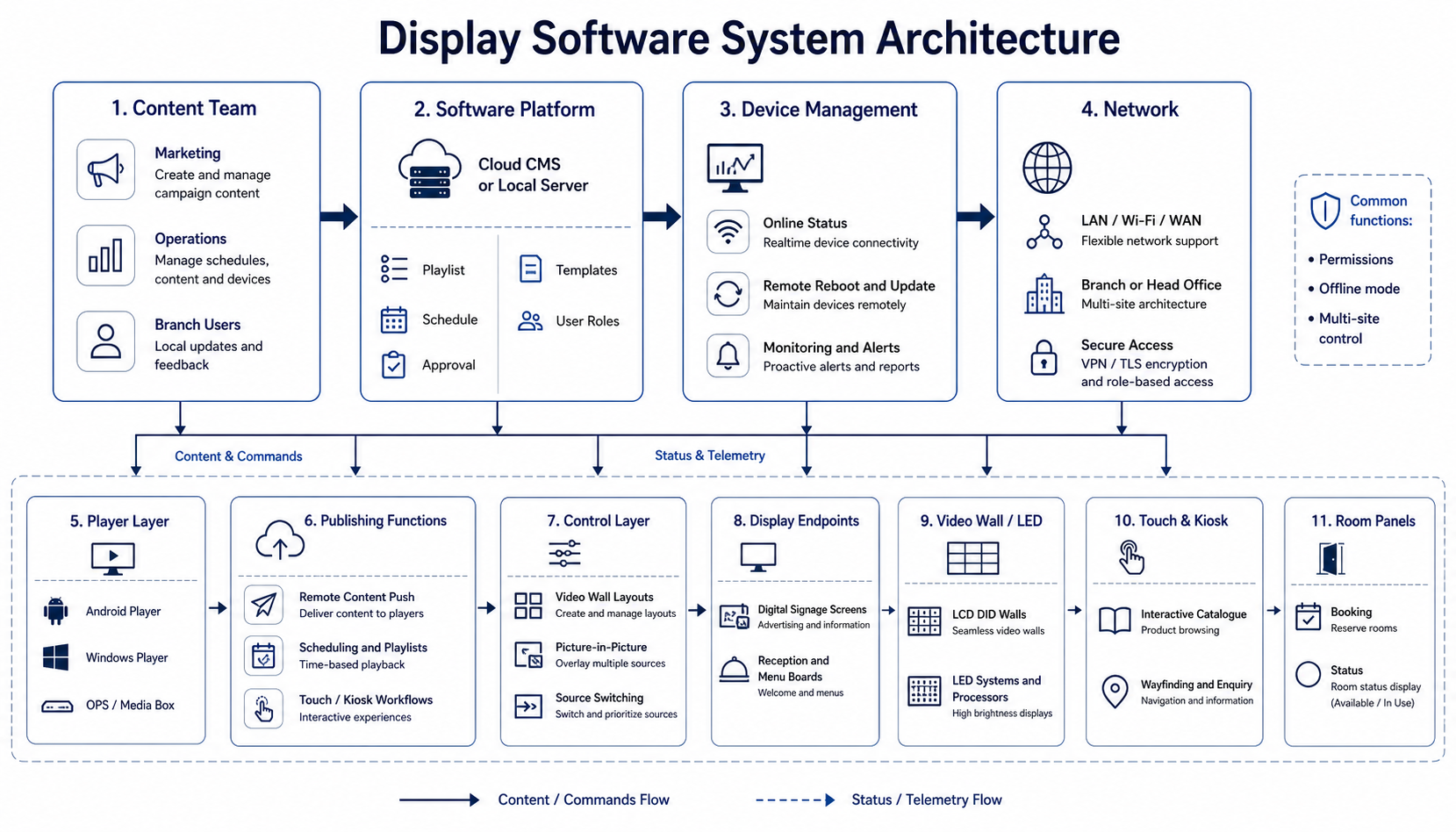
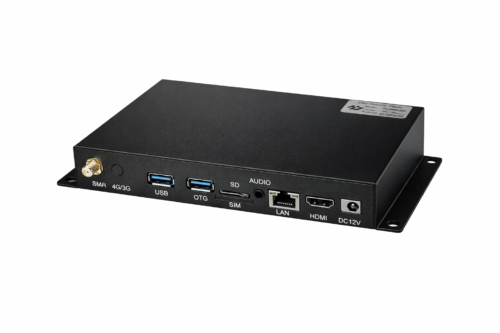
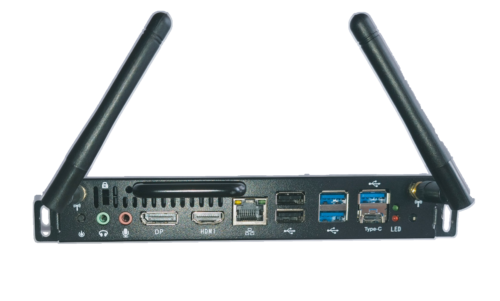
ANN VIEW can supply the software layer that makes a display system usable every day. Depending on the project, that may be a cloud CMS, a local player, touch kiosk software, a video wall control layer, central control software integration, a meeting room booking tool, or a remote management platform for multi-site content updates.
Software platform
Built for signage, kiosks, video walls and managed display networks
The software can be matched to the way a site actually runs. Some customers only need simple playback and timing. Others need scheduling, approval, user roles, device monitoring, content templates, touch navigation or integration with existing hardware.
Cloud or local CMS
Remote publishing and scheduling
Touch, kiosk and room-panel workflows
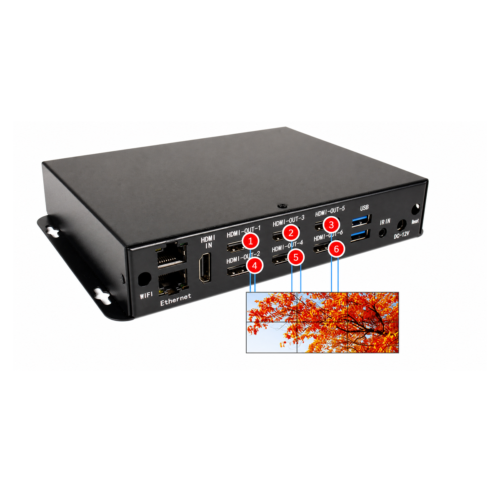
Video wall and multi-screen control
Information publishing software
Four software levels for different display projects
ANN VIEW can match the software to the way the customer will update content. Some projects only need a simple USB workflow, while larger sites need LAN publishing, cross-screen playback or remote multi-user management.
1. Simple standalone USB playbackA straightforward single-screen solution for customers who only need to copy images or videos to a USB drive and run loop playback on one display.2. Standalone USB playback with split-screen layoutsFor single-machine operation that needs more professional layouts, such as video plus image zones, text ticker, logo area, time display or mixed content windows.3. LAN publishing and cross-screen playbackFor screens inside the same local network. Suitable for local content publishing, multi-screen management and flowing or cross-screen playback where supported by the system.4. Open API and CMS integrationANN VIEW can provide API access for suitable projects, allowing our display hardware to work with multiple CMS platforms and other approved software workflows instead of being limited to one publishing system.
Function overview
Software families and what they do
This page is a practical product overview, not a generic brochure. It covers the main software functions used with commercial displays so the right stack can be selected for retail, hospitality, corporate, education, control room and showroom projects.
Digital signage CMSPlan, upload and publish posters, videos, menus, promotions and announcements from one control point. Content can be grouped by screen, site or campaign and pushed instantly or on a schedule.Android player softwarePlayer software for Android-based boards and media players. Suitable for simple commercial playback, auto-start operation, content loops, local media storage and long-term signage deployment.Windows player softwareFor Windows-based signage players, mini PCs and compatible display computers. Windows and supported Android players can use the same content management backend, giving projects a consistent publishing workflow across both platforms.BS web platformBrowser-based management for users who want remote access without installing client software everywhere. Good for distributed sites, centralised scheduling and easier multi-user administration.Touch and kiosk softwareInteractive menus, product selectors, enquiry screens, self-service terminals and guided presentation flows. Can support portrait displays, search, category filters and branded navigation.Meeting room and room-panel softwareRoom booking, availability display, meeting status, digital door signage and front-of-room control for corporate spaces, training rooms and shared facilities.Video wall control softwareMulti-zone layouts, split-screen playback, picture-in-picture, source switching and content placement for LCD video walls and larger multi-display systems.Remote monitoring and maintenanceCheck whether players are online, confirm what is playing, restart devices, recover failed screens and manage updates across one site or many sites.User permissions and approvalSeparate admin, editor and site-user access so teams can update content safely. Useful when marketing, operations and branch staff all need different levels of control.Offline and standalone modeKeep screens running even when the network is limited. This is important for stores, reception areas and remote venues that still need stable playback.Device control and integrationConnect with screen power, scheduled on/off, screenshots, device IDs and upgrade workflows where the hardware supports it. This keeps the display system easier to manage after installation.Multi-site content distributionSend the same campaign to many branches or change a single branch without disturbing the rest of the network. Useful for retail chains, franchise operations and service businesses.
Typical usage
Where the software is used
The same software family can be configured very differently depending on the job. A small shop may only need local playback and a timer. A larger installation may need central publishing, user rights, approval, offline fallback and remote monitoring.
Retail and hospitalityMenu boards, promotions, window signage, daily specials, campaign scheduling and branch-level updates.Corporate and educationReception screens, lecture rooms, wayfinding, meeting room booking and internal announcements.Showrooms and luxury retailBrand content, curated product videos, portrait screens and interactive product exploration.Control rooms and venuesSource switching, dashboard views, multi-window operation and centralised screen control.Player replacement and upgrade projectsReplace outdated players or software layers and keep usable screens in service where practical.Training and handoverSimple user training so staff know how to publish content, update schedules and request support.
Choose the right level of control
Not every project needs a complex CMS. Some only need local playback. Others need web access, approval workflows, multi-site publishing or integration with existing AV hardware.
Send the operating requirements
Tell us how many screens you have, how content will be updated, whether the network is local or remote, and whether touch, booking or video wall control is required.
Media players and accessories
Prices include GST. Sydney showroom samples, local installation and Australian warranty support. Ask about custom sizes.
ANN VIEW acknowledges the Traditional Custodians of this beautiful land. We acknowledge their ancestors and Elders, and recognise those who continue to protect and promote Aboriginal and Torres Strait Islander cultures.
We acknowledge the past and stand together for our future.